Whew... It's been a busy week for me. Making my best efforts to finish recordings for 3 of my tunes. Not an easy task with a 9-to-5 to contend with, but we do what we must...! I finally finished recording all parts for the songs, and as of last weekend, I am officially in the mixing stage, working every evening when I get home from my job.
Mixing is a crucial part of the recording process that I'm kind of embarrassed to admit I've been struggling with for 15 years now. But for those that have heard my older recordings, it should come as no surprise... The quality of my mixes has always been on the amateur side of town, and that's putting it nicely. It takes a trained and tuned ear, and some degree of skill to create a mix that bears repeated listening. Otherwise, it simply leaves no doubt that you record at home, haha! I feel that if people have to ask if you record in your bedroom or in a "real" studio, then you know you're on to something. That's where I'd like to be someday. Fortunately, I think I made another step toward getting there last week...
Mixing is a crucial part of the recording process that I'm kind of embarrassed to admit I've been struggling with for 15 years now. But for those that have heard my older recordings, it should come as no surprise... The quality of my mixes has always been on the amateur side of town, and that's putting it nicely. It takes a trained and tuned ear, and some degree of skill to create a mix that bears repeated listening. Otherwise, it simply leaves no doubt that you record at home, haha! I feel that if people have to ask if you record in your bedroom or in a "real" studio, then you know you're on to something. That's where I'd like to be someday. Fortunately, I think I made another step toward getting there last week...
Here I'll give a hopefully basic and low-tech rundown of the recording process for those who aren't knowledgeable about how it works. Generally, you start by recording your separate parts that will comprise your musical piece. That can consist of instruments, vocals, sound effects or anything you wish to record as part of your piece. In most cases, each individual instrument or vocal part is given its own separate track. Depending on your equipment, each track can usually be recorded one at a time as overdubs, or all parts can be recorded together live, in the case of recording a band, for example. This process is known as multitrack recording.
Once all parts are recorded, you begin the mixing process, whereby you adjust levels of each track in relation to the others, as well as add EQ and any audio effects that will enhance the overall sound. When you have the mix sounding the way you want, you would then make a 2-track stereo master of your mix, which then allows you to share your music with others, on CD or online. More often than not these days, one is working digitally, so the master itself will consist of an audio file, be it WAV, AIFF, or MP3.
The mixing process can also be referred to a mixdown, because you are mixing several audio tracks (24, 48 or more are not unheard of), down to 2 stereo tracks (1 track for the right speaker, 1 track for the left). Thanks to Surround sound, one also has the option to mix down to 6 or 8 separate tracks, but that's mainly used for those mixing sound for video or feature films. I'm not part of that world, nor do I have a desire to be, at least for now. I have enough trouble mixing down to 2 tracks!
Mixing audio is time consuming, especially if you don't have a clear mental picture of how you want the music to sound. Even the most experienced professional mix engineers will take several hours, even a whole day, to get what he or she is looking for in a final mix, doing multiple versions of the mix for the client to choose from. For those less experienced like myself, the process usually takes several DAYS.
The mixing process can also be referred to a mixdown, because you are mixing several audio tracks (24, 48 or more are not unheard of), down to 2 stereo tracks (1 track for the right speaker, 1 track for the left). Thanks to Surround sound, one also has the option to mix down to 6 or 8 separate tracks, but that's mainly used for those mixing sound for video or feature films. I'm not part of that world, nor do I have a desire to be, at least for now. I have enough trouble mixing down to 2 tracks!
The past week or so has felt like a mission of sorts. This mission has been to tackle long standing issues with mixing my own music. The question at hand was, "What will it take to improve my mixes?" It certainly isn't a question of not having the proper equipment. The current era of technology ensures that high-quality home recordings can be made by nearly anyone with an interest to do so. Like many others out there that record their own music at home, I use multitrack recording software on a laptop, along with a recording interface. That's all I need to do the job, so again, the equipment is definitely not the problem.
For monitoring the mix playback, I use 5-inch stereo monitor speakers. Research, time, and experience have taught me that a good pair of reference monitor speakers with a flat frequency response are essential for creating quality mixes that will translate well to other stereo systems' speakers. By translate, I mean that the music will sound "right" on different types of systems - home stereos, boomboxes, car stereos, iPod earbuds, what have you.
 |
| A mixer's best friend (besides their ears). |
I'd say that the most important aspect of creating a mix that at least approaches a "professional" level, would be the aspect of clarity. In the past, I'd do a mix that sounded OK on my studio monitors. Next, I'd burn the mix to CD, play it back on another stereo system, and it would sound almost completely different. I mean different in a BAD way. In particular, judging the right amount of bass in a mix was where I invariably had the most trouble. Played on a different system, my mixes always sounded too muffled and boomy, due to way too much low-end. Reducing the low end would often leave me with a mix that sounded thin. It can take a long time to get that right, just starting out. The point being, hearing less than stellar results after long hours of work can be frustrating and discouraging, to say the least.
You typically can hear all the distinct elements of a piece of music in a mix that has clarity. The different instruments and any vocals should not appear to be fighting for the same sonic space, obscuring one another. Rather, each element should have its own space, yet all parts blend together well to form a cohesive whole. In the world of stereo mixing, you often have many different parts that you need to squeeze into the same sonic space between only two speakers!
You typically can hear all the distinct elements of a piece of music in a mix that has clarity. The different instruments and any vocals should not appear to be fighting for the same sonic space, obscuring one another. Rather, each element should have its own space, yet all parts blend together well to form a cohesive whole. In the world of stereo mixing, you often have many different parts that you need to squeeze into the same sonic space between only two speakers!
When those parts share common frequencies, that makes the goal of clarity all the more challenging. On most multi-channel audio mixers (hardware or software equivalent), you will have (at least) controls for adjusting the level (volume) of each individual track, panning (adjusts the track within the stereo spectrum from left to right), and EQ controls. Hands down, the most important things to adjust and experiment with in achieving a good mix. Once those elements are under control, you may have access to audio effects such as reverb and delay that give the audio a sense of space in your track. Compression and limiting, which control dynamics, are equally important. There are many more effects available to utilize, but it's really beyond the scope of this post to go any further into it. I've probably gone too far out there as it is! Hope you're still with me...
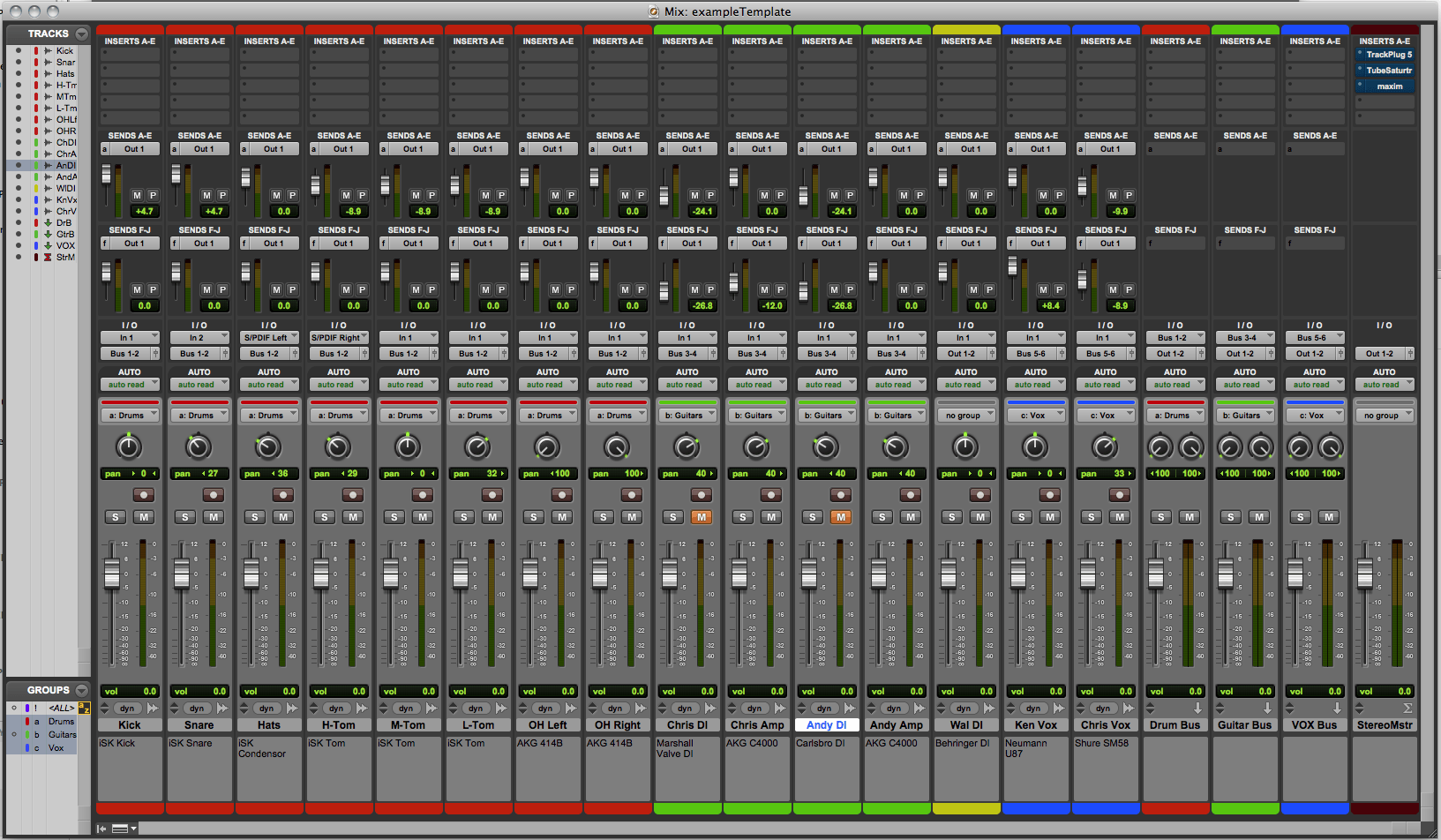 |
| Virtual mixer screen in Pro Tools, my recording software of choice. |
Which brings me back to my main point. When I have access to all these tools to create my mix, it really comes down to the 2 most important tools of all: my speakers, and my ears. You can have the best equipment in the world, but it won't matter a bit if you have not tuned or trained your ears for this kind of work. Training your ear to make good mixes takes practice, making as many mixes as you need to before you get it right.
That's the lesson I learned this past week, for as many hours as I could squeeze in before having to go to bed and return to work the next day. Working on the first of the three songs, I'm happy to say that I've finally completed a mix that I'm pretty darn satisfied with! Certainly all my past experience helped me get to this point, especially remembering what NOT to do! However, I believe it was increasing my focus and persistence that helped me finally come across to the other side and produce a mix that I could live with. This is not to say that I now know all there is to know about mixing - I still have much to learn and improve on. But I believe that it will make the next mix project that much easier to get it the result I want. That next project is coming up soon, as in next week, if not this weekend! I have two more songs to mix, then I'll finally be able to post them online and share them with you folks out there. No concrete time frame as to when that will be; as I like to say, hopefully sooner rather than later! Till next time...
A book on audio mixing that's provided me with a lot of good info:
The Mixing Engineer's Handbook


